 LiveSharer
See anywhere,
live.
Book a local to show you any place on live video. Check a flat before you sign, scout a venue, catch a view or join a moment you can't get to. Pay only for the minutes you watch.
For adults 18+. Available in the UK first.
Be there without being there
Your eyes, anywhere a sharer can go
LiveSharer connects you with real people nearby who show you what you need to see, as it happens.
Property viewings
See the flat, the street and the noise level before you travel or sign anything.
Venues and places
Scout a wedding venue, a restaurant or an office before you book it.
Views and landmarks
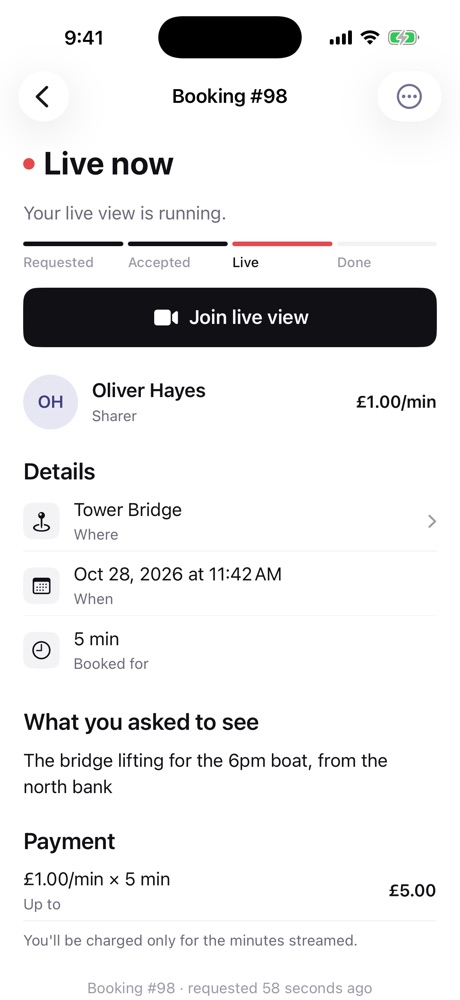
Watch Tower Bridge lift or a sunset over the Thames from wherever you are.
Moments that matter
Check on a place you miss, or see an event you can't make it to.
How it works
From request to live in minutes
- 1
Pick a place and a sharer
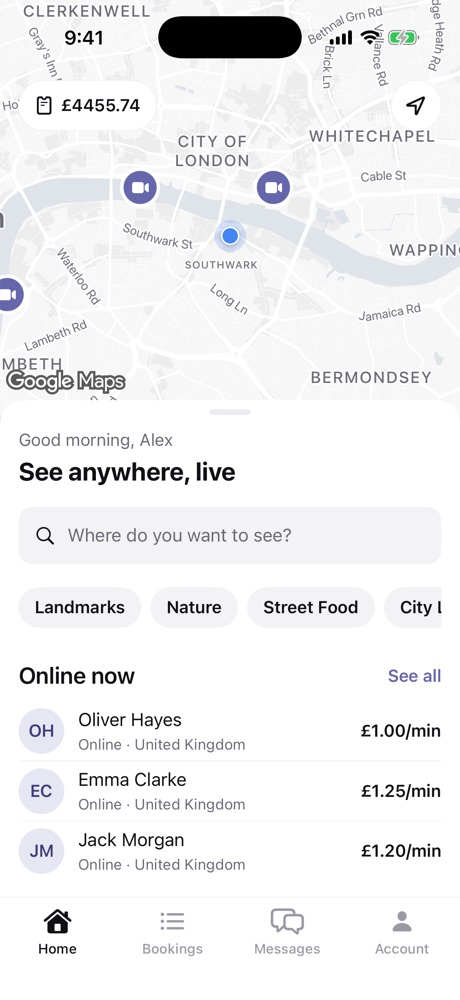
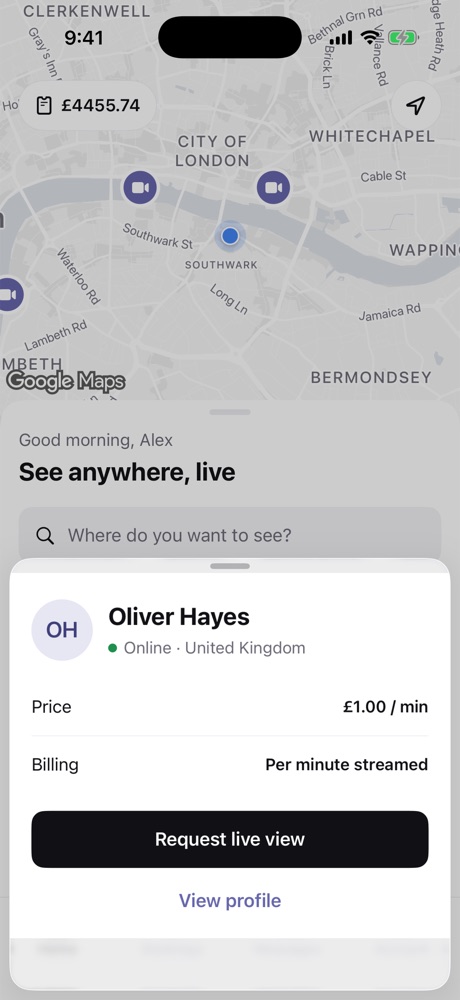
See who's online near where you want to look, with their price per minute up front.
- 2
Say what you want to see
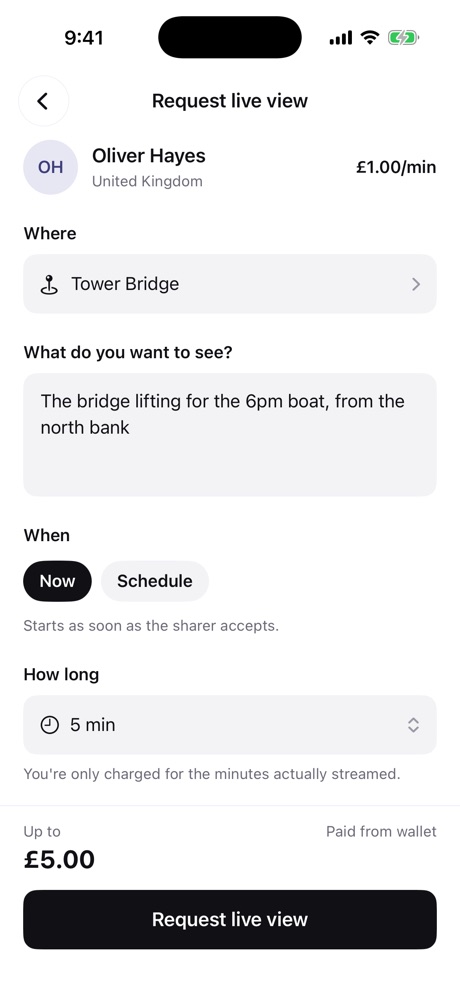
Add the place, a note and how long you need. You see the most it can cost before you send it.
- 3
Watch live and guide the camera
Once they accept, the stream can start straight away. Tap the arrows to ask them to turn or move.
- 4
Pay only for what you watched
Billing is per minute streamed, never more than you booked. Unused credit stays in your wallet.
For sharers
Earn by showing your city
Go online when it suits you, accept the requests you want, and get paid for every minute you stream.
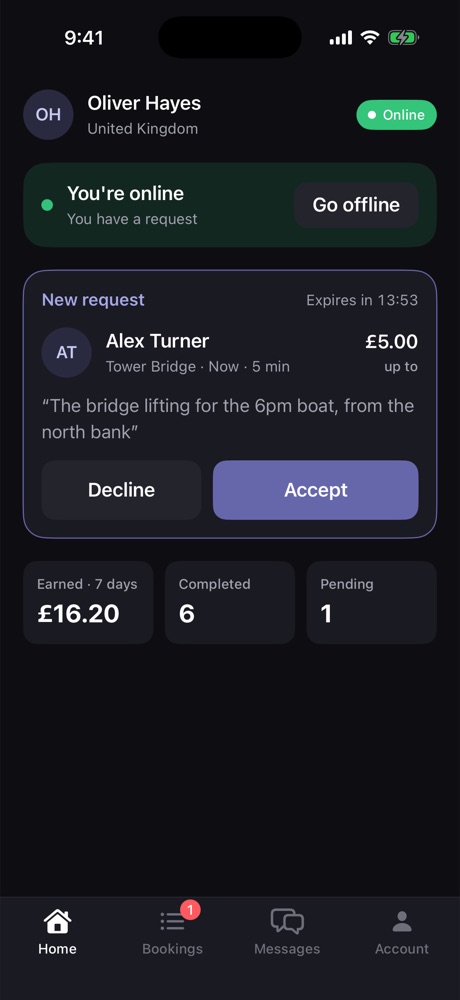
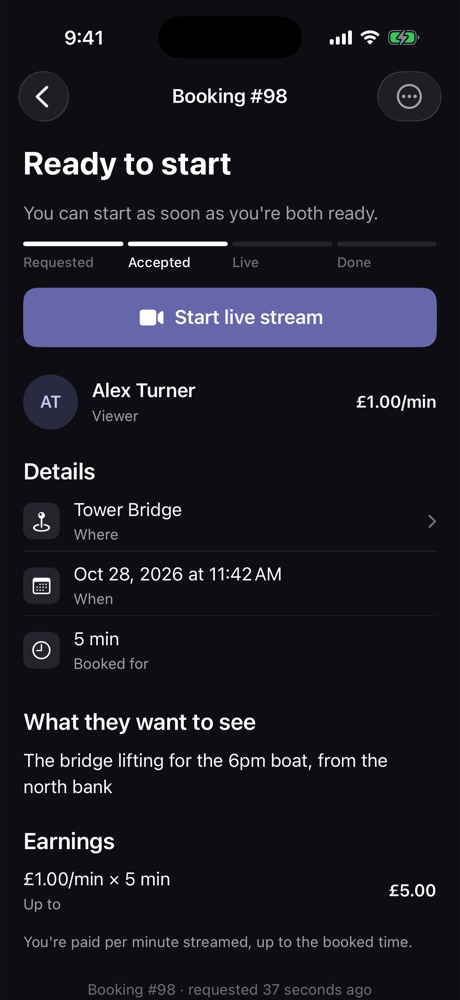
You're in control
Go online and offline with one tap. See every request with the place, timing and what the viewer wants before you accept.
Set your own price
Choose your rate per minute. Viewers see it before they book.
Get paid securely
Earnings go to your LiveSharer balance after each session, and you withdraw to your bank through Stripe.
One account, both sides
Switch between viewing and sharing whenever you like.
Simple, fair pricing
Per minute, never more than you booked
Per minute
Set by each sharer
You see the price before you request, and the most a booking can cost.
Capped
At the time you booked
Sessions end at the booked time, so you're never charged past it.
No fee
To join or browse
Top up your wallet when you need it. Unused credit stays yours.
Safety
Built for trust on both sides
LiveSharer is for adults only, and every session can be reported to a real person on our safety team.
18+ only
Everyone confirms their date of birth and accepts our Terms before using the app.
Report and block
Report or block someone from a profile, a booking, or during a live call. Blocked users can't find or book you.
Human review
Our team reviews every report. Serious reports hide the account at once until they're checked.
Questions
Good to know
How much does a live view cost?
Each sharer sets a price per minute, shown before you book. You're charged only for the minutes actually streamed, and never more than the length you booked.
Are sessions recorded?
No. Live views are streamed one-to-one and aren't recorded by LiveSharer. For safety, a still image of the sharer's video is checked automatically every 20 seconds; ordinary images are deleted within a day.
Can I guide what the sharer shows me?
Yes. Tell them what you want to see when you book, and use the on-screen arrows during the call to ask them to turn or move.
How do sharers get paid?
Earnings are added to the sharer's balance after each session. Sharers connect a bank account through Stripe to withdraw.
Who can use LiveSharer?
Adults aged 18 and over. We're starting in the UK.
How do I report a problem?
Use Report on a profile, a booking or during a call, or contact us from the support page.
See it for yourself
LiveSharer is on the App Store for iPhone. Android is coming soon.